Marketing spotlight
/
Marketing Spotlight: Mapping Calendly's Marketing and Sales Tactics
In this article, we put Calendly in the “Marketing Spotlight” as we take a closer look at how their sales and marketing strategies are working and what sets them apart, as of July 2026.
TL;DR: Conclusions and Key Takeaways
🎀 This section gives you the main insights without all the details. It’s the stuff you need to remember, whether you’re reading this now or in 6 months. We made this for people who want to get the core message fast.
Calendly is a scheduling automation platform that grew into a unicorn on almost no outside funding, powered by a viral, product-led loop where every shared scheduling link doubles as free distribution. This article breaks down how that loop shows up across Calendly's brand, product tiers, content, social channels, and reviews, and what a similar B2B SaaS brand can steal from it.
Key Takeaways
Calendly shows its Enterprise starting price instead of hiding behind "Talk to Sales," removing a buyer's biggest reason to stall before it becomes one.
The Learning Hub replaces a search-driven help center with role-based paths, cutting the effort it takes a new user to find what applies to their job.
A live, staff-moderated Community turns support into a public trust signal instead of a ticket sitting in a queue.
Every free user sharing a scheduling link functions as unpaid distribution, the product markets itself without an ad budget behind it.
Person-led content (HowIWorkLive) consistently outperforms straight product posts on both Instagram and LinkedIn, even against genuinely newsworthy announcements.
📝 A quick note before you start reading: The data and analysis in this article are valid as of the time we wrote it. We don’t know when you’ll be reading this, maybe next week, maybe six months from now, and things might have changed since we looked at this company’s marketing and sales approach. Still, the insights and lessons here stay useful, even if the numbers or tactics have evolved a bit.
Booking a meeting used to mean five emails back and forth before anyone agreed on a time. Calendly built a business out of removing that friction, and it grew into one of the most recognized names in scheduling software without ever feeling flashy about it.
At Milk and Cookies Studio, we spend our days reverse-engineering how B2B companies actually grow, and Calendly is worth a close look because its marketing runs almost entirely on retention and product-led habit rather than aggressive top-of-funnel spend. That combination, a product everyone already knows paired with a content engine built to keep people rather than win them, is not the usual playbook, and it's worth understanding why it works.
Understanding Calendly
Calendly was founded in 2013 in Atlanta, Georgia, by Tope Awotona, a former IBM and Perceptive Software salesperson who got tired of the back-and-forth required to book a single meeting. He partnered with the Kyiv-based development shop Railsware to build the first version and self-funded the early stages with his savings and a small business loan before Calendly took on any outside capital.
The core product is a scheduling automation platform: users share a link showing their availability, and whoever needs a meeting picks a slot, with Calendly handling the calendar sync, reminders, and follow-up on both sides.
The target market spans individuals and solopreneurs up through enterprise teams, with meaningful traction inside large organizations. Calendly has users inside a majority of Fortune 500 companies, largely through the same bottom-up, product-led adoption that built its early user base.
Calendly's last and only major funding round came in January 2021, a $350 million Series B led by OpenView Venture Partners and ICONIQ Capital, which valued the company at $3 billion. That round followed a comparatively tiny $550,000 seed raise back in 2014, meaning Calendly scaled from a free scheduling tool to a unicorn on strikingly little outside capital before finally taking a large check.
Brand Promise Analysis
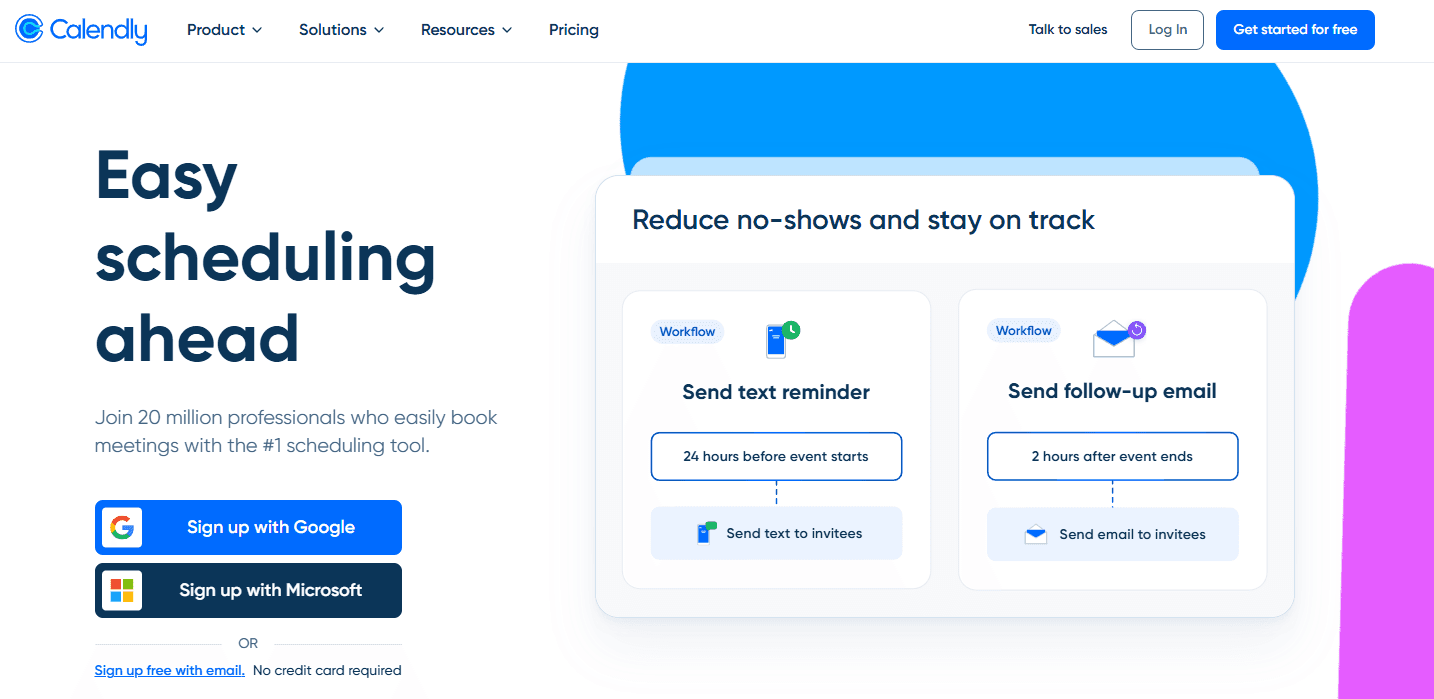
Calendly’s homepage opens up with the statement “Easy scheduling ahead. Join 20 million professionals who easily book meetings with the #1 scheduling tool.” Straightforward and bold, Calendly explains quickly what they do and why you should trust them.
The trust reinforcement continues with a trusted by leading organizations, including Zendesk, Dropbox, DoorDash, Lyft, L’Oréal, and others. They say that Calendly makes scheduling simple, easy enough for individual users, but powerful enough to meet the needs of enterprise organizations.
You can connect your calendars, add your availability, connect a conferencing tool, customize your event types, and share your scheduling link. Boost your creativity with over 100 integrations, including Google and Microsoft suites.
But Calendly doesn’t stop at being just a scheduling link. They offer browser extensions, automated workflows, routing forms, round robin & collective events, and admin management. And if everything by now doesn’t convince you, you can read their case studies, where you can learn how their clients had 169% ROI, a 160% increase in customers reached, 8 days reduction in time-to-hire, and much more.
Their site is also available in French, Spanish, German and Portuguese. Every element on this homepage, from the "20 million professionals" framing to the trust-logo wall to the case study stats, is doing the job classic product-led growth companies do before a prospect ever talks to sales: it's building confidence in self-serve adoption without a human in the loop.
This is the natural output of a company whose own product IS the distribution channel: every scheduling link a free user sends is an unpaid ad for Calendly, and the homepage exists to convert the person who received that link, not only the person who sent it.
Service and Product Breakdown
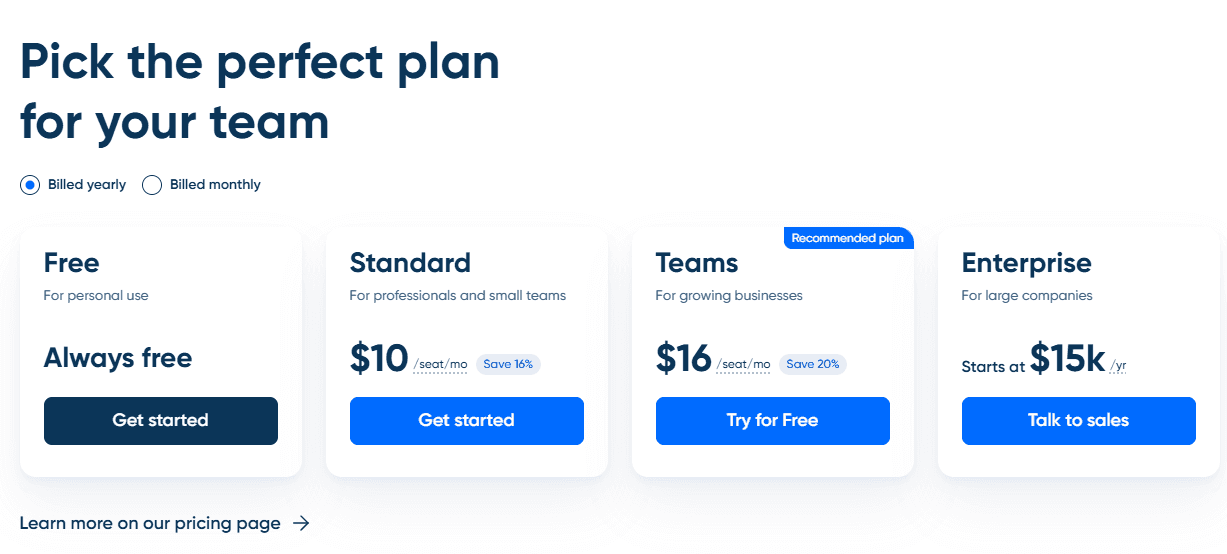
They offer 4 tiers: Free, Standard for professionals and small teams (starting from $10/seat/month, if billed yearly), Teams for growing businesses (starting from $16/seat/month) and Enterprise for large companies (starting at $15k/year). If you choose to pay yearly, you will save 16% for the Standard plan and 20% for the Teams plan.
It’s interesting that they chose to tell us the starting price for the Enterprise tier, because most of the competitors are using just the Talk to sales button, but no starting price. This thing reduces the buyer's friction point and makes things easy to understand. You will know by looking at their price point what you can afford. So in a world full of hidden pricing, be like Calendly and choose to divulge this big “secret” of yours.
The four-tier structure, Free, Standard, Teams, Enterprise, is a textbook land-and-expand ladder, and it's built to work without a salesperson touching the first three steps. A free user becomes a paid Standard user once they hit a feature ceiling, not because a rep called them. That's the economics behind self-funding a unicorn on a $550,000 seed round: the product closes the deal at every tier except the last one, and Enterprise is the only rung where Calendly pays for a human to get involved.
You can even try the upgrades, and at the end of their 14days trial you will automatically be downgraded to the Free tier, and you’ll be able to continue tu use Calendly as long as you’d like.
Calendly is built around four connected products: Scheduling, Notetaker, Contacts, and Payments. The core scheduling engine lets users sync work and personal calendars to avoid double-bookings, customize weekly availability, and build event types ranging from simple one-on-one meetings to more complex formats.
Routing directs incoming bookings to the right person or first available rep, useful for lead qualification or support triage, while Meeting Polls let a group vote on a shared time instead of trading emails.

Workflows automate reminder and follow-up emails or texts so attendees show up prepared and on time. Scheduling links can be shared anywhere or embedded directly into a website, and the whole system is accessible through native mobile apps and browser extensions for Chrome, Edge, Firefox, and Safari, so booking works from wherever the user is already working.
Beyond scheduling itself, Calendly adds a layer of relationship and business tooling. Contacts automatically builds a profile for every person who books a meeting, pulling in scheduling history, notes, and (with Gmail connected) email history, positioned as a lightweight alternative to a full CRM for solo professionals and small teams.
Notetaker, currently in waitlist rollout, joins Zoom or Google Meet calls to record, transcribe, and summarize them, then sends a client-ready recap with action items and drafts follow-up emails automatically.
Payments lets professionals collect money at the time of booking, through meeting packages, or via custom payment links. On the operational side, Analytics reports on booking volume and team activity, and Admin Management gives account owners centralized controls, security settings (including SSO and SCIM for larger teams), and user permissions across the organization.
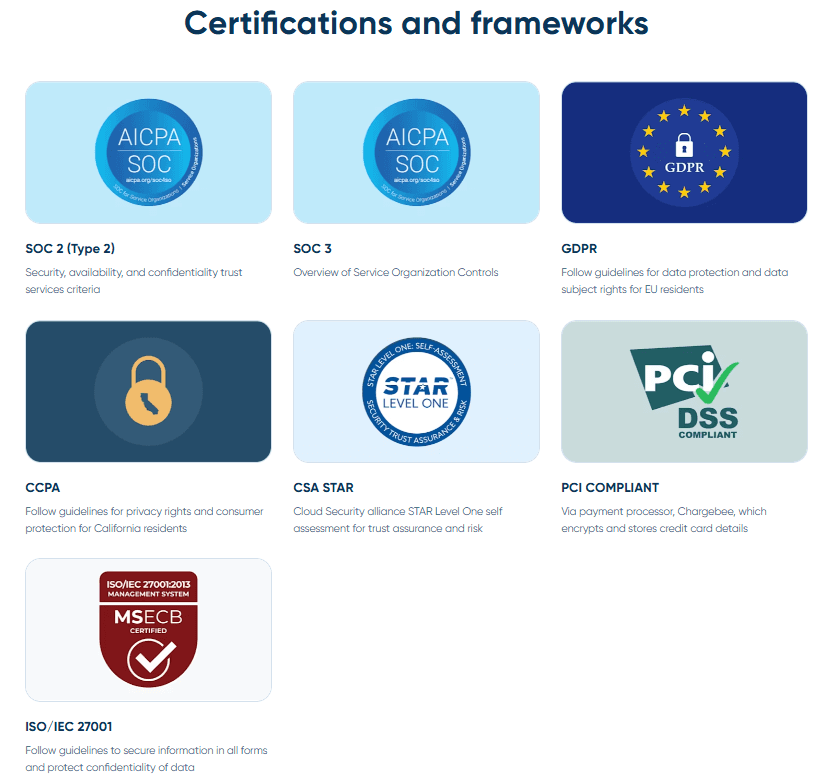
Security and trust run through both the standalone Security page and Admin Management as a specific feature. Calendly holds SOC 2 Type 2, SOC 3, ISO/IEC 27001, and CSA STAR Level One, alongside GDPR and CCPA compliance programs, and backs that with encryption in transit and at rest, DDoS protection, regular vulnerability scanning, and semi-annual penetration testing.
Account-level protections include SSO, SCIM-based user lifecycle management, domain control, real-time audit logging, and PII deletion tools, positioned specifically for IT teams managing access across a growing organization.
Admin Management is the operational layer built on top of that: a single dashboard for managing every user in the org, group admins who can handle day-to-day tasks without looping in IT, and lockable meeting templates that standardize event types and reminder workflows across a whole team.
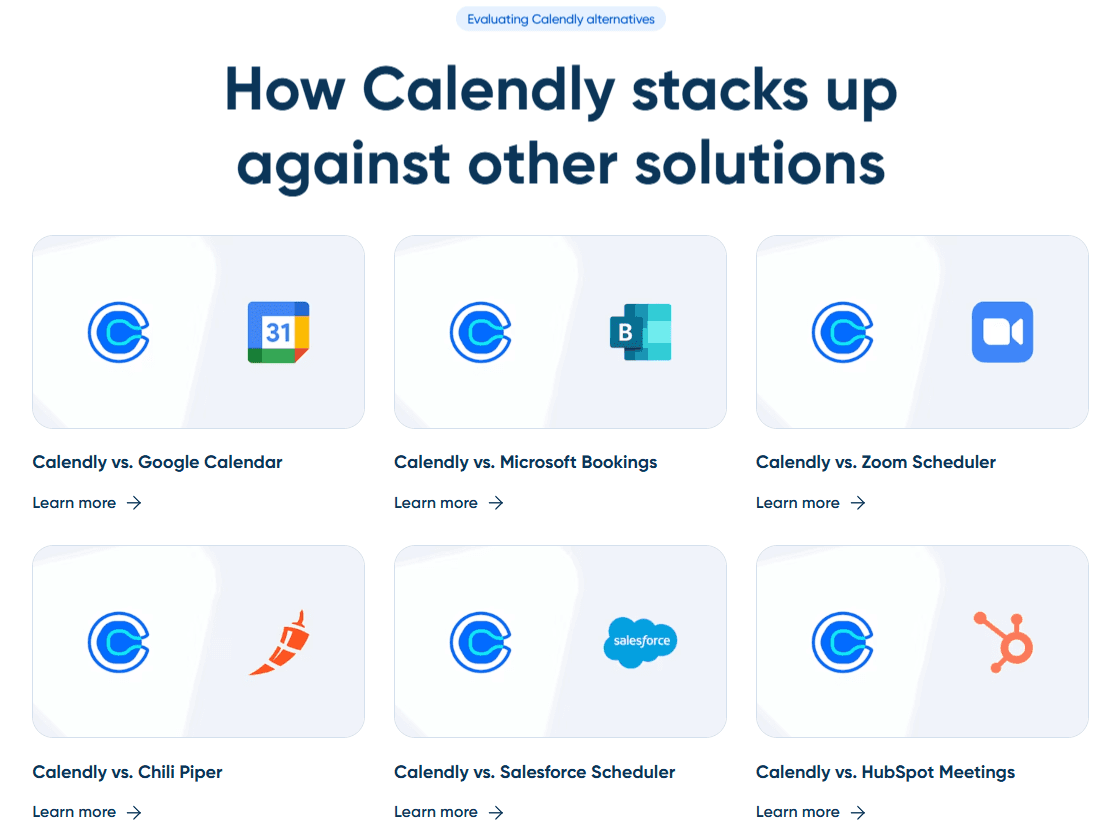
On the Compare page, Calendly frames its edge against alternatives (Google Calendar, Microsoft Bookings, Calendly vs. Doodle, Chili Piper, and others) around three claims: minutes-not-hours setup, over 100 native integrations plus thousands more through Zapier, and coverage of every scheduling scenario from a single one-on-one to enterprise-wide deployment, citing customer results like a reported average of five hours saved per user per week.
Differentiators and Unique Assets
Learning Hub
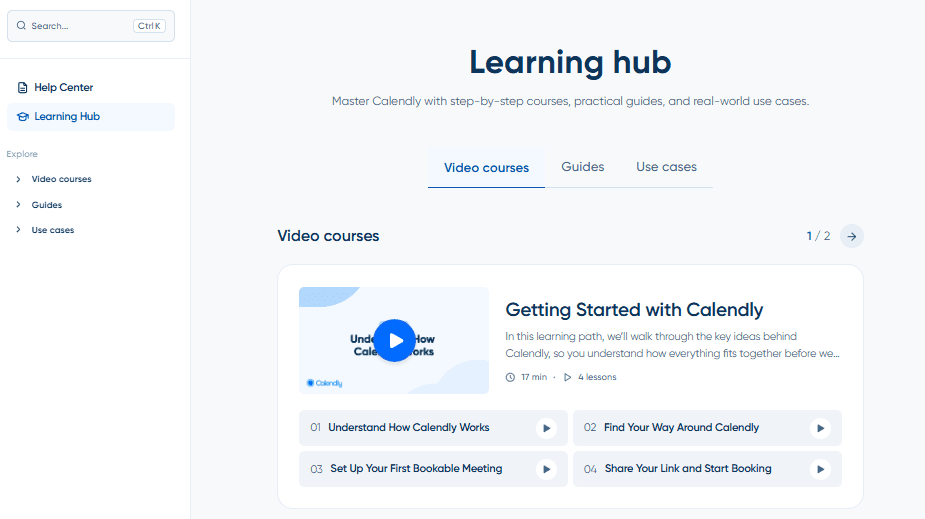
Most B2B SaaS companies stop at a blog and a support library. Calendly built a third layer: the Learning Hub, which organizes video courses, written guides, and industry-specific use case pages (sales, recruiting, education, IT, financial services) into structured, role-based paths rather than a searchable archive.
The difference matters in practice. A new user trying to figure out how Calendly fits their specific job doesn't have to piece it together from scattered articles. They pick their role or industry and follow a path built for it.The page closes with "Still need help? Calendly's support is available 24/7," pointing visitors to either the Community or direct support, which signals this hub is built primarily for people already inside the product, not for prospects still evaluating it.
Calendly Community
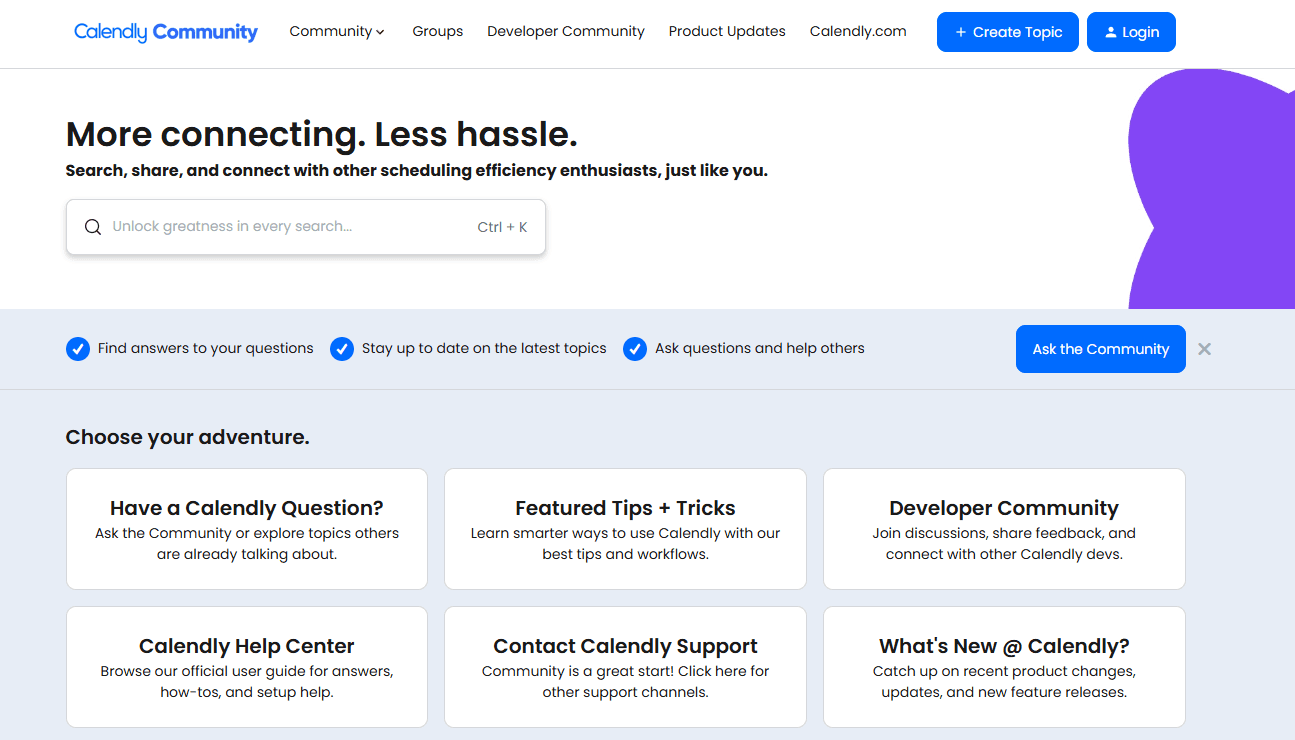
The Community adds a layer most competitors skip entirely: a live, employee-moderated forum where product questions, tips, and API discussions happen in public, with staff and a dedicated community manager visibly present in threads. Engagement here is genuinely strong for a support-adjacent forum, with visible likes, views, and comment counts on most threads, and real users get real answers instead of a ticket sitting in a queue.
A Forrester survey of B2B CMOs conducted in Q3 2025 found that customer experience has become the top strategic focus heading into 2026, precisely because improving CX consistently shows up in stronger retention and revenue numbers, according to Forrester VP Mike Proulx. A forum where usage problems get solved in public, by staff who show up consistently, functions as exactly this kind of CX investment, just built on community infrastructure instead of a support queue.
Why does this differentiate them
Together, the Learning Hub and Community push Calendly's post-sale experience closer to a customer academy than a typical resource center. Neither asset drives new signups directly, but both work on the retention side of the funnel. A user who can follow a structured learning path and get a real answer in a public forum has fewer reasons to churn over a support gap.
Steal This: Build a structured, role-based learning path on top of your existing help content instead of leaving customers to search through disconnected articles. It costs less than a full academy platform and delivers the same retention benefit.
Leadership Presence Analysis
On LinkedIn, none of Calendly's leadership stands out as consistently active. There's limited posting activity from both CEO Tope Awotona and Shane Murphy-Reuter, and the most recent posts from each go back 9 and 2 months, respectively.
Tope Awotona, CEO and founder of Calendly
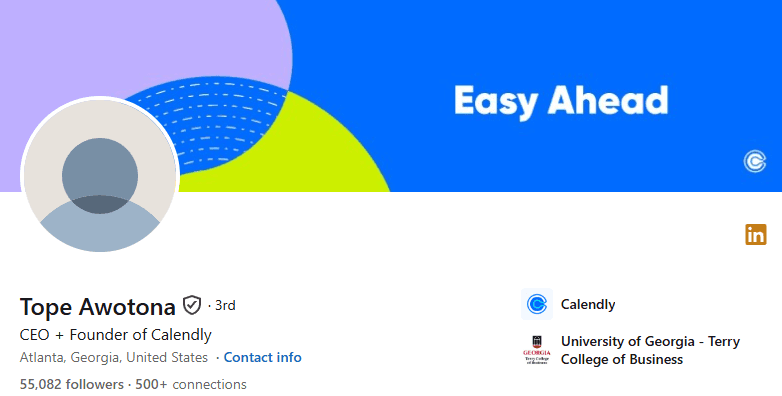
Awotona has 55,000 followers on LinkedIn and mostly reposts content with added commentary rather than posting original pieces. The one standout post we could find dates back two years, a 2024 retrospective that pulled in 1,200 reactions, 78 comments, and 17 reposts, a level of engagement his account hasn't matched since.
Shane Murphy-Reuter, GTM president of Calendly
Murphy-Reuter has 5,900 followers and typically sees around 20 reactions per post, with comments and reposts staying in the single digits. Like Awotona, his pattern leans toward reposting with added thoughts about Calendly rather than original content. His highest-performing post in the last year was the one announcing his new role as GTM President, suggesting career news outperforms everything else he shares.
A December 2025 benchmark analysis of over 100 B2B companies found that executive voices consistently outperform corporate accounts on trust, noting that perspectives from founders and executives build credibility that branded content alone can't replicate. With both the CEO and GTM President posting sporadically and relying mostly on reposts rather than original perspective, Calendly is leaving one of its strongest available trust signals largely unused.
Social Media Strategy
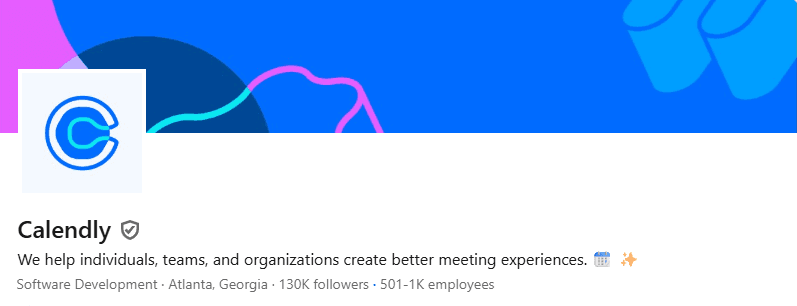
On LinkedIn, Calendly has 130,000 followers, which is a good position among B2B SaaS company pages. They stay fairly active there, posting multiple times a week with a mix of content types: reposts, polls, upcoming webinars and events, carousels, and posts showing off different features or product updates.
That said, the engagement doesn't quite match the follower count. On original posts, they typically pull in somewhere between 2 and 20 reactions, and comments or reposts tend to stay on the lower end, usually just a handful at most.
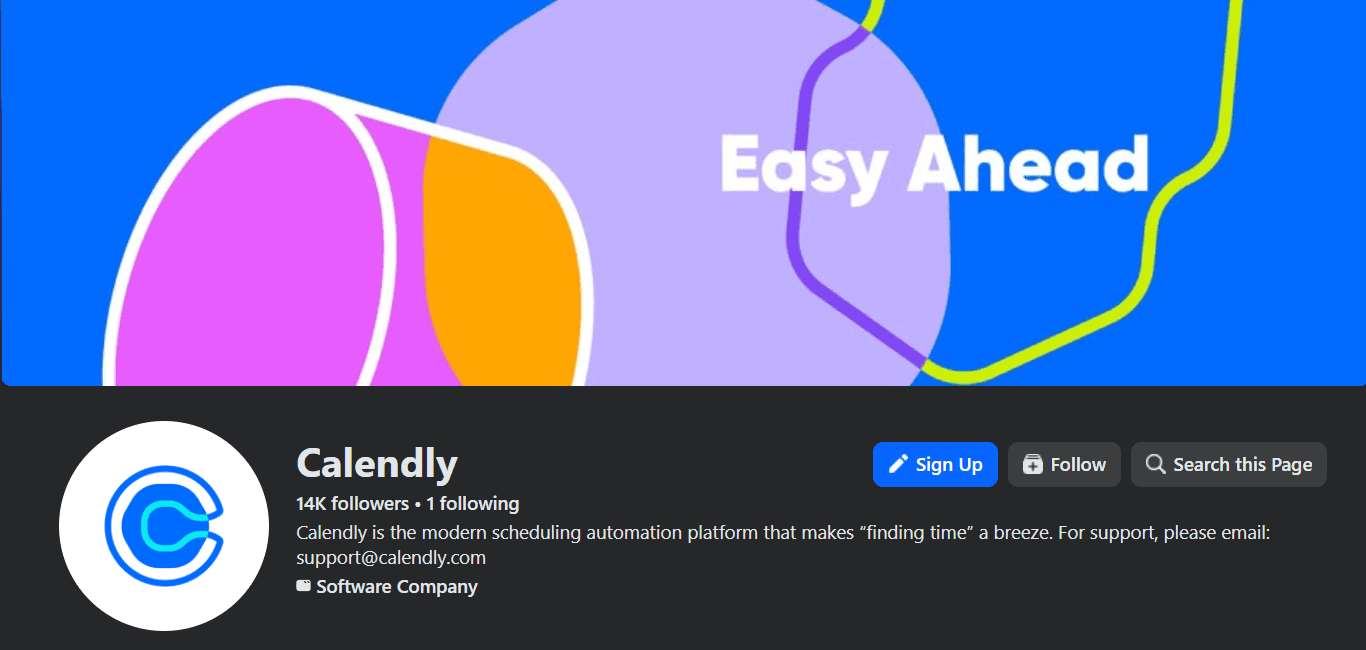
On Facebook, Calendly has 14,000 followers, though the page doesn't get much attention these days. Their most recent post dates back to May 2026, which tells us they aren't cross-posting everything they publish elsewhere.
What does go up is a mix of product updates, webinar promotion, and team-related posts, but the posting rhythm is infrequent, and that shows in the numbers. Most posts pull in just a handful of likes and little else. Recent comments mostly come from people airing complaints about Calendly rather than engaging with whatever the post is actually about.

On Instagram, Calendly has 21,900 followers. The content here covers customer stories, webinars, and product updates, posted a few times a month, though it's largely the same material already shared on LinkedIn and Facebook rather than anything built specifically for the platform. Average engagement lands around 30 likes, 5 comments, and a couple of shares per post.
X (formerly Twitter)
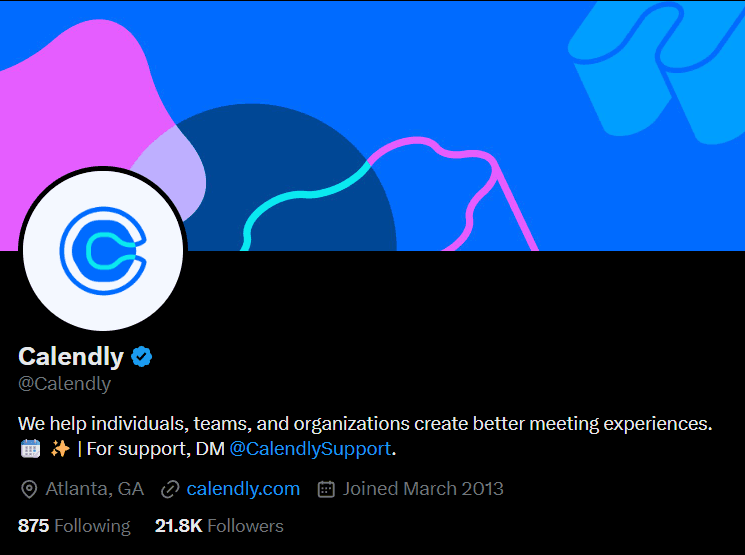
On X, Calendly has 21,800 followers and 12,000 posts total. They mostly repost when tagged by others rather than posting original content of their own. This is their least active platform by far.
Aside from one original post last month, there's been nothing else original posted in 2026, and the last original post before that goes back to October 2025. When they do post original content, it pulls in around 2,000 views on average, but only 1 repost and a handful of likes and comments to go with it.
YouTube
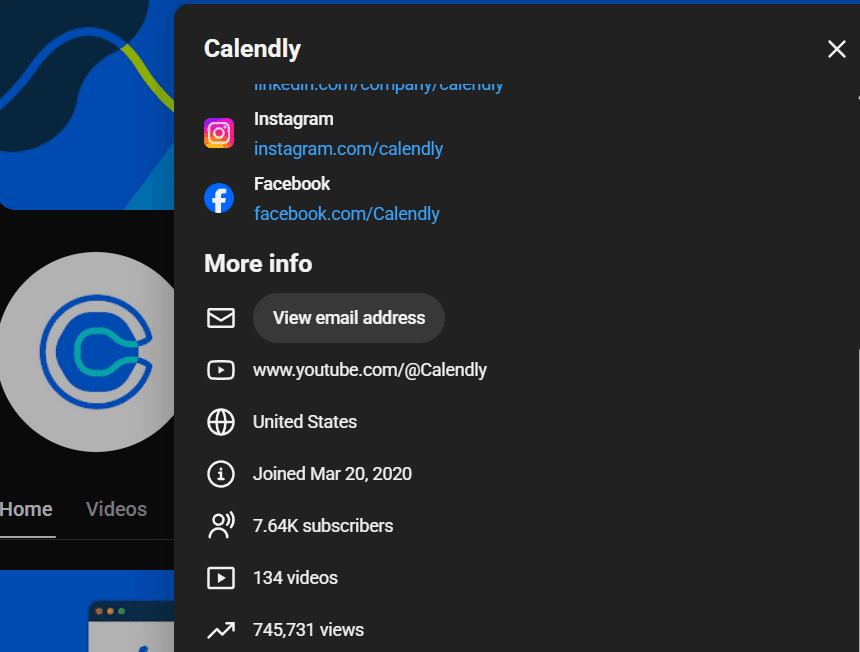
On its YouTube channel, Calendly runs long-form videos, Shorts, and Lives. The long-form content is organized into playlists: How I Work Live, Did Someone Say Calendly?, Calendly Customer Stories, Calendly Culture, Using Calendly With Your Team, Integrations, Calendly Staff Picks, Webinars, Getting Started With Calendly, Calendly Customers, and Product Tutorials. Most of these are built for people already using the product, though a handful could pull in new customers, but not anyone who hasn't heard of Calendly yet.
The Lives section holds only the How I Work Live series, with two videos posted so far. Across 134 videos total, the channel has built 7,640 subscribers and 745,000 views. Individual videos typically sit under 1,000 views, with comments and likes staying thin as well.
TikTok
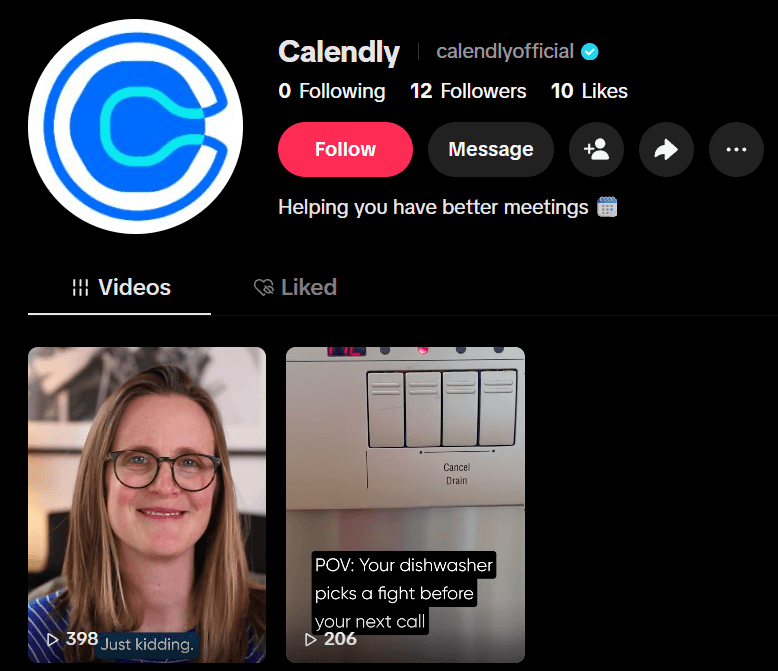
On TikTok, Calendly has only 12 followers and 10 likes across the two videos posted, which pulled in 389 and 206 views. The content is repurposed from other platforms, and it just doesn't work on TikTok. We're not talking about chasing trends here, we're talking about basic format. Friendly reminder: you can't read a caption if your video has a white background sitting right behind it.
Substack
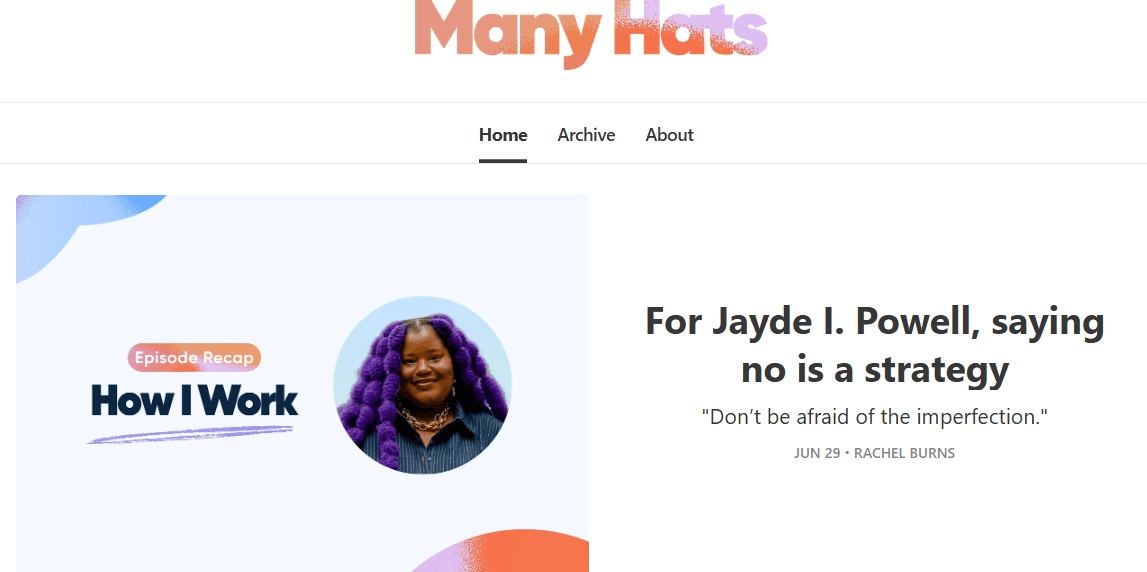
Many Hats is Calendly's Substack channel, written by Rachel Burns, who creates content for the brand. It's built around stories and advice for and from people juggling everything while building a business, spotlighting the kind of been-there-done-that lessons that only come from real-world experience.
We can only wish them good luck on this new venture and plenty of subscribers along the way.
The bigger picture
Add up the follower counts across every platform and Calendly looks like a company with real reach: 130,000 on LinkedIn, 21,900 on Instagram, 21,800 on X, 14,000 on Facebook, 7,640 subscribers on YouTube.
On paper, that's an audience most B2B SaaS companies would want. In practice, almost none of it converts into engagement. Reactions in the low double digits on LinkedIn, a handful of likes on Facebook, views under 1,000 on YouTube are a pattern that repeats itself on every channel except one: TikTok, where the numbers are so small they don't even qualify as a channel yet.
And the first fix you can make in a similar case is fixing the posting consistency. A March 2026 industry benchmark report found that brands treating LinkedIn as a genuine engagement channel, posting steadily and building toward specific formats rather than sporadically dropping updates, are seeing engagement rates around 3.7%, well above the account-wide average most companies actually hit.
Calendly's LinkedIn output is frequent enough to count as active, but the content mix, reposts, polls, product features, and event promos read like five different strategies running in parallel rather than one strategy executed well. The other channels show the opposite problem: Facebook and X go quiet for months, then post once, then go quiet again. Algorithms and audiences both punish that rhythm. A follower who hasn't seen a post from you in three months isn't a warm lead anymore.
Here's what makes this worth fixing rather than shrugging off. Every one of these platforms sits directly in the path of B2B buyers doing exactly what buyers do before a purchase: checking if a company is still active, still credible, still worth trusting with a scheduling and CRM-adjacent workflow.
A prospect who lands on a Facebook page with a three-month-old post, or a TikTok with 12 followers, isn't neutral about what they just saw. They've quietly downgraded their confidence in the brand, even if they never say so out loud. Calendly has the audience size to make social a real acquisition and retention channel. What's missing is the discipline to show up on a schedule good enough to keep that audience, instead of slowly leaking trust one dormant channel at a time.
Steal This: A big follower count with inconsistent posting is worse than a smaller one with a steady rhythm. Pick a cadence you can actually sustain on every channel you claim to be active on, or shut down the ones you can't maintain.
Top-Performing Content
Considering the lack of consistency and missing content in the last few months, some of Calendly's channels will be disqualified from this part of the research. That leaves us with Instagram, LinkedIn, and YouTube.

The video for the How I Work episode with Jayde I. Powell, which pulled 72 likes, 4 comments, 4 reposts, and 1,700 views.
A single-image post promoting the same episode, with 66 likes, 2 comments, and 1 repost.
A video announcing Calendly's availability inside ChatGPT, which received 34 likes, 4 comments, and 955 views.
Two out of three top posts belong to the same piece of content, the HowIWorkLive episode featuring Jayde I. Powell. A January 2026 industry report on B2B Instagram performance found that tech and B2B accounts typically struggle with engagement, averaging between 1.2% and 2.8%, but content built around a real person, rather than a product feature, consistently outperforms the rest of the feed.
The episode with a named host generated more than double the views and engagement of a straight product update, even though the product update was arguably more newsworthy, and the integration with ChatGPT is a bigger deal than a webinar teaser.
Their audience responds to a face and a voice. The ChatGPT integration deserved better numbers than a webinar promo got, and it didn't get them, which says the format, not the news, decided the outcome. If HowIWorkLive is genuinely their best-performing content type on this platform, the fix isn't to post more product updates hoping one lands, but to build more of what already works and stop burying strong content like the ChatGPT news inside a format that doesn't carry it.
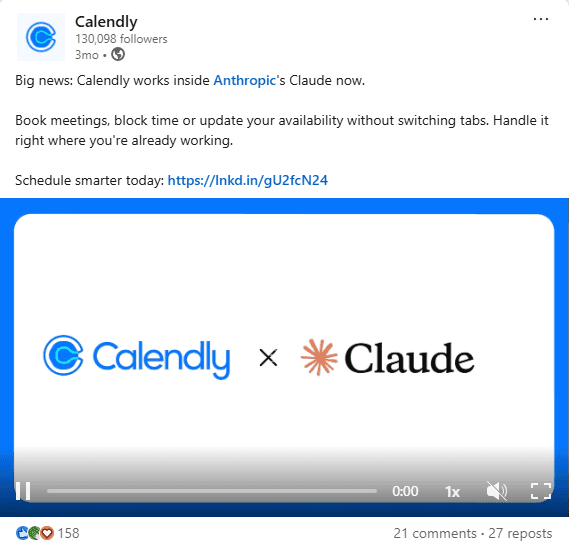
The video announcing Calendly x Claude, which pulled 158 reactions, 21 comments, and 27 reposts.
The video for HowIWorkLive episode 2, with 72 reactions, 44 comments, and 8 reposts.
A four-image carousel explaining how to get paid through Calendly, with 49 reactions, 7 comments, and 12 reposts.
All three top spots went to formats that skip static images entirely, and that lines up with where the platform itself has been moving. A March 2026 LinkedIn strategy analysis found native video content receiving significantly higher organic reach than text-only or image posts, with the algorithm actively rewarding formats that hold attention longer over quick-scroll content.
Calendly's numbers back that up directly: the two video posts outperformed the carousel on every metric except reposts, where the carousel actually edged ahead, likely because a how-to explainer on getting paid is the kind of practical content people forward to a colleague rather than react to on the spot.
The AI integration announcement topping the list isn't surprising either. It combines two things LinkedIn's B2B audience currently rewards: video format and a timely, specific piece of news (Calendly's integration with Claude) rather than a generic feature update.
HowIWorkLive coming in second reinforces the same pattern already visible on Instagram: content built around a real person and a recognizable format performs consistently better than a straight product post, even against a genuinely newsworthy announcement.
YouTube

Top long-form videos of all time are:
Calendly for Chrome, with 103,000 views, 190 likes, and 20 comments.
Introducing Calendly's Browser Extension: Easy Scheduling from Anywhere on the Web, with 38,000 views and 31 likes.
What is Calendly? How Meeting Scheduling Software Works, with 35,000 views, 333 likes, and 14 comments.
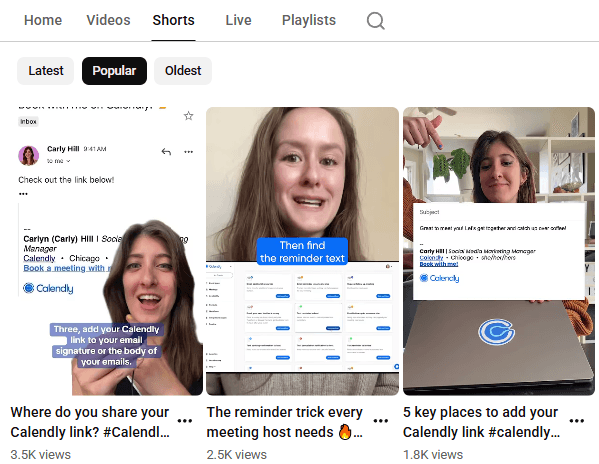
The top Shorts of all time are:
Where do you share your Calendly link?, with 3,500 views, 45 likes, no comments.
The reminder trick every meeting host needs, with 2,500 views, 34 likes, and 2 comments.
5 key places to add your Calendly link, with 1,800 views, 10 likes, no comments.
There is a clear difference in terms of engagement between the two formats. The weakest long-form video on this list still outperforms the strongest Short by 10x on views alone. That tracks with the broader shift YouTube went through in this exact window: a December 2025 algorithm overhaul cut long-form slots on home feeds significantly in favor of Shorts, even as YouTube reports B2B video content overall generates far higher engagement than text and static formats combined.
Calendly's own numbers suggest their audience hasn't followed that shift. People search for "Calendly for Chrome" and "what is Calendly" with clear intent. They're either already using the product or actively evaluating it, and that kind of search-driven, high-intent viewer still finds long-form content through YouTube's search function regardless of what the home feed algorithm favors.
The Shorts seem to be crossposted here to test the format rather than content built around a real strategy. Given that the top-performing long-form videos are all evergreen, product-explainer-style content rather than anything tied to a specific news cycle, the channel's real strength is functioning as a search-driven reference library. That's a very different job than Shorts are built to do, and right now, Calendly is running both without treating them as the two different tools they are.
If your long-form content already wins on search intent, don't force your Shorts strategy to compete with it. Use Shorts to point people toward the long-form answer instead of trying to replicate it in 60 seconds.
Conclusions
Line up the winners across all three platforms and one pattern repeats everywhere: content built around a real person beats content built around a feature, and video beats everything else.
HowIWorkLive shows up in the top 3 on both Instagram and LinkedIn. The Calendly x Claude and ChatGPT integration announcements, genuinely newsworthy product moments, only performed well when delivered as video, and even then, the person-led format still edged them out or matched them closely.
Static images and carousels showed up exactly once across all three platforms' top spots, and even that carousel only won on one metric (reposts), for practical, save-worthy content rather than anything designed to stop the scroll.
The second pattern is about the funnel stage, not the format. Instagram and LinkedIn reward personality and timely news because that's where discovery happens. YouTube works the opposite way. Its top performers are all evergreen, high-intent, product-explainer content that ranks because people are actively searching for it.
What ties it together: Calendly has proof, on three separate platforms, of exactly what works for each one, but the volume of content built around these winning formats is still small. The data is telling them clearly what to make more of, and we hope to see more of them on social media in the future.
Steal This: Once you find a format or person that consistently outperforms the rest of your content on a platform, stop treating it as one good post. Turn it into a recurring series, and let the data pick your content calendar for you.
Paid Advertising Strategy
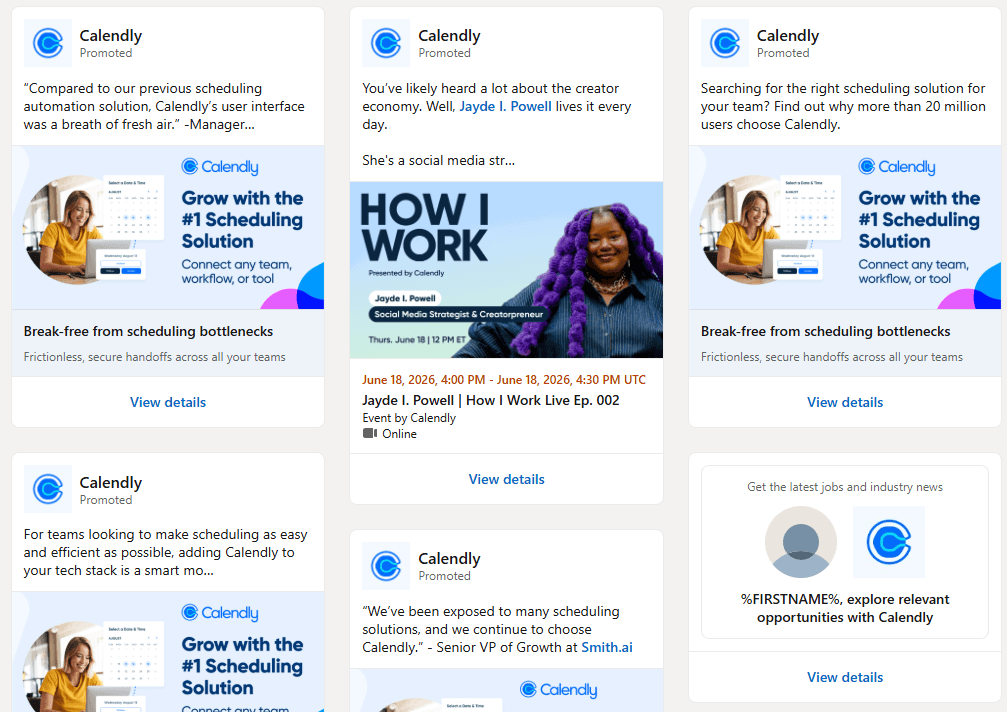
On LinkedIn, Calendly runs 12 active ads as of July 2026. Several push the product directly, using CTAs like "Break free from scheduling bottlenecks" and "Compare Calendly features, integrations, automations, pricing, and more," both sharing the same visual anchored around "Grow with the #1 Scheduling Solution."
Another ad promotes an upcoming webinar hosted by Jayde I. Powell, the second episode of HowIWorkLive, which also asks viewers to subscribe to Calendly's Substack newsletter, Many Hats. The rest of the ad set is dedicated to open roles at the company.
That mix is worth pausing on. Out of 12 active ads, a meaningful share is recruiting spend, not demand generation, which means Calendly is treating LinkedIn as much as an employer branding channel as a customer acquisition one. Pairing a product ad with a content play like HowIWorkLive and a Substack subscribe ask also shows that Calendly is testing whether a media-style, personality-led format converts better than a straight product pitch, a bet that fits the broader pattern already seen in its content strategy: retention and brand-building tools outnumbering pure acquisition plays.
What was really shocking is that no Meta, TikTok, or Google ads were found at the time of the research. We saw in other Marketing Spotlight articles that not all of them use Meta or TikTok to advertise their product, which is fair, but without Google or YouTube ads, it’s a rare thing to find in our analysis.
Calendly grew through a viral, product-led loop. Every free user who sends a scheduling link is doing unpaid distribution for the brand. That already buys Calendly a ton of organic and branded search volume without spending a dollar. Paying for clicks on searches you already win for free doesn't make much sense, and it explains why the ad budget sits on LinkedIn instead, a channel built for reaching people who aren't already typing "Calendly" into Google.
But skipping Google entirely opens a door most marketers would want closed. If Calendly isn't bidding on its own brand name, a competitor can. Chili Piper or Acuity Scheduling could easily buy the top spot above Calendly's organic listing when someone searches "Calendly pricing" or "Calendly alternatives," right at the moment that person is ready to convert, like ClickUp does. For a company this dependent on self-serve signups, leaving that branded search real estate unguarded is a strange thing to skip.
Steal This: Bid on your own brand name on Google, even if your product markets itself. It's cheap insurance, and it stops a competitor from parking an ad above your organic listing the moment a ready buyer searches for you.
Sales Funnel from Social Media
On X, most of last year's links point to different resources across Calendly's website rather than the product page itself. Facebook takes a different route: the post copy tells people to check the link in the bio, which routes back to the homepage.
Instagram runs three separate links in bio, the Customer Stories page, their Facebook Page, and a Sprout Social link, a pattern that echoes what we found on Fresha's Instagram. On LinkedIn, the links lean toward webinar registrations more often than the website itself. YouTube skips the bio-link approach almost entirely, sending viewers straight to the specific article tied to each video's topic instead.
These are five different funnels running in parallel, each one built around whatever content that platform happens to be pushing that week rather than a single, consistent path back to the product.
X and YouTube both point outward to educational content, which fits their higher-intent, research-mode audiences. LinkedIn pushing webinars over the website makes sense too, a webinar registration captures an email address, which the website homepage doesn't.
But Facebook and Instagram sending traffic to a homepage or a customer stories page isn't a dead end exactly, but it’s indirect. Someone engaged enough to click a link in bio has already cleared the hardest part of the funnel, getting their attention, and now has to rely on the sticky CTA buttons already present across the blog and homepage to eventually reach a signup or demo request. The path exists, it just adds friction, and friction at the exact point where intent is highest is still worth flagging.
Reviews and Social Proof
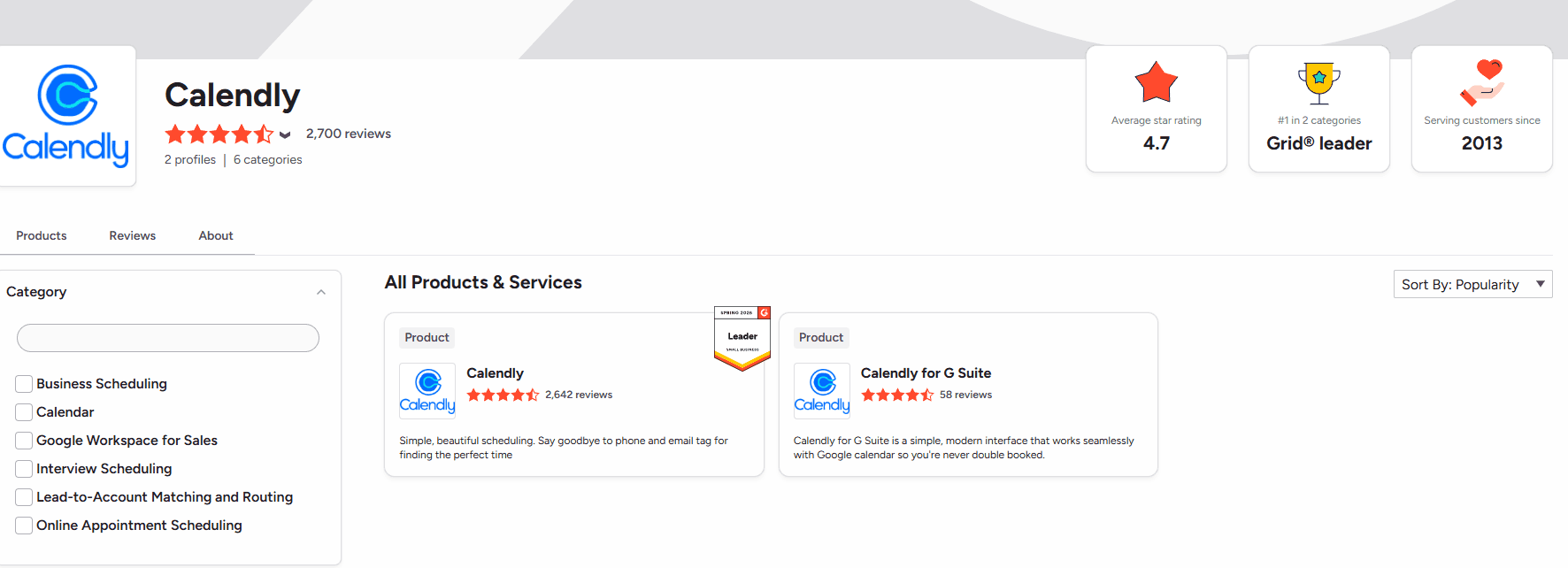
On G2, Calendly holds a 4.7-star average and Grid Leader status. The listing is split across two products: the main Calendly page (2,642 reviews) and Calendly for G Suite (58 reviews).
For the core product, users consistently praise ease of use, scheduling functionality, quick setup, and calendar integrations. The recurring complaints center on missing features, calendar syncing issues, pricing perceived as too high, and occasional scheduling or integration hiccups.
The G Suite listing follows a similar pattern on a smaller scale. Reviewers highlight integrations, ease of use, overall functionality, feature depth, efficiency, and easy setup as the strengths, while the complaints lean toward update issues, scheduling problems, lack of clear information, and connectivity glitches.
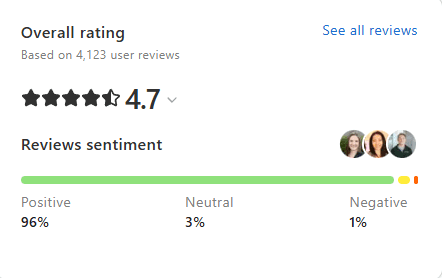
On Capterra, Calendly also holds a 4.7-star rating based on 4,124 user reviews, coming mostly from small businesses, administrative roles, and companies in the information technology and services industry. Broken down by category, Online Booking and Appointment Management lead at 4.8, followed by Calendar Sync, Confirmation/Reminders, and Calendar Management at 4.7, with Mobile Access slightly behind at 4.6. Customer service scores the lowest of the group at 4.4.
On Trustpilot, Calendly's claimed profile sits at 3.2 stars from 519 reviews, noticeably lower than every other platform in this analysis. The most recent negative reviews cluster around two specific pain points: customer service and billing issues, which line up with the same weak spot Capterra flagged with its 4.4 customer service score, the lowest category there too.
The App Store tells a different story entirely. Calendly's mobile app pulls 4.8 stars from 53,000 ratings, and 4.9 stars from 18,100 reviews. That kind of consistency at that volume is hard to fake, and it suggests the product experience itself holds up well once someone is actually using it.
The difference between a 3.2 on Trustpilot and a 4.8-4.9 on mobile it points to a company that builds a product people genuinely like, but struggles when something goes wrong and a human needs to step in to fix it.
Glassdoor adds a third, less flattering angle: employee sentiment. Calendly sits at 3 stars from 216 reviews, with only 41% saying they'd recommend it to a friend, 33% approving of the CEO, and just 27% holding a positive business outlook.
The category breakdown shows where the real friction is: Career Opportunities (2.7) and Senior Management (2.6) score lowest, well behind Work/Life Balance (3.8) and Compensation and Benefits (3.7). Employees seem reasonably paid and rested, but skeptical of where leadership is taking the company and what growth looks like from the inside.
One detail stands out across all four platforms: Glassdoor is the only channel where Calendly's team actually shows up to respond to reviews. That's notable given how loudly the Trustpilot complaints call out customer service responsiveness. Calendly is investing in managing its employer brand more actively than its customer complaint channels.
A company that grows through the product rather than through sales conversations will always score highest exactly where Calendly does, on the product experience itself (G2, Capterra, the App Store), and weakest exactly where the human layer shows up (Trustpilot, Glassdoor). The reviews are a direct reflection of where Calendly has invested and where it hasn't.
Content Marketing and Demand Generation
Resources

On their Resources page, Calendly bundles e-books, guides, webinars, customer stories, blog posts, video tutorials, and a help center into one hub. Some items open in a new tab, but most categories only show 3 articles at a time, and you have to click an arrow to load older content. It looks clean, but it makes browsing a full category one at a time a slower process if you're trying to see everything at once.
E-books & Guides
Calendly's guide library mixes practical playbooks with original research, including the guide on handling "pick your brain" requests, the State of Meetings 2024 report, and an e-book on cold outreach.
These are long-form pieces that rely on a table of contents to navigate, and they lean on infographics, testimonials, and charts to back up their points. No author is credited, but given the structure and length, these guides read like a team effort rather than a single writer's work.
Each one closes with the same pitch: "Don't leave your prospects, customers, and candidates waiting. Calendly eliminates the scheduling back and forth and helps you hit goals faster. Get started in seconds," paired with Sign up for free and Get a demo buttons.
Webinars
The library holds close to sixty webinars, ranging from product walkthroughs like "Getting More Done with Calendly" to monthly "What's New" recaps and a beginner-focused "Calendly 101" tutorial.
Sessions typically run 45 minutes, and each page lists the webinar description, what you'll learn, and the speakers, along with their job titles and companies. You can enroll by filling out the form with your name, email, company, and job title.
Customer Stories

The page is built as a filterable directory, letting visitors sort success stories by industry, business size, or feature used, with content loading dynamically through these filters rather than sitting on a static list.
Clicking on a case study surfaces it at the top of the results. On the left side of each article, you'll find the category, business size, and product feature the client used, along with social sharing buttons and a Sign up for free button. The stories themselves follow a consistent structure: about the company, the challenge, the solution, and the results, closing with a named testimonial from the client.
Blog
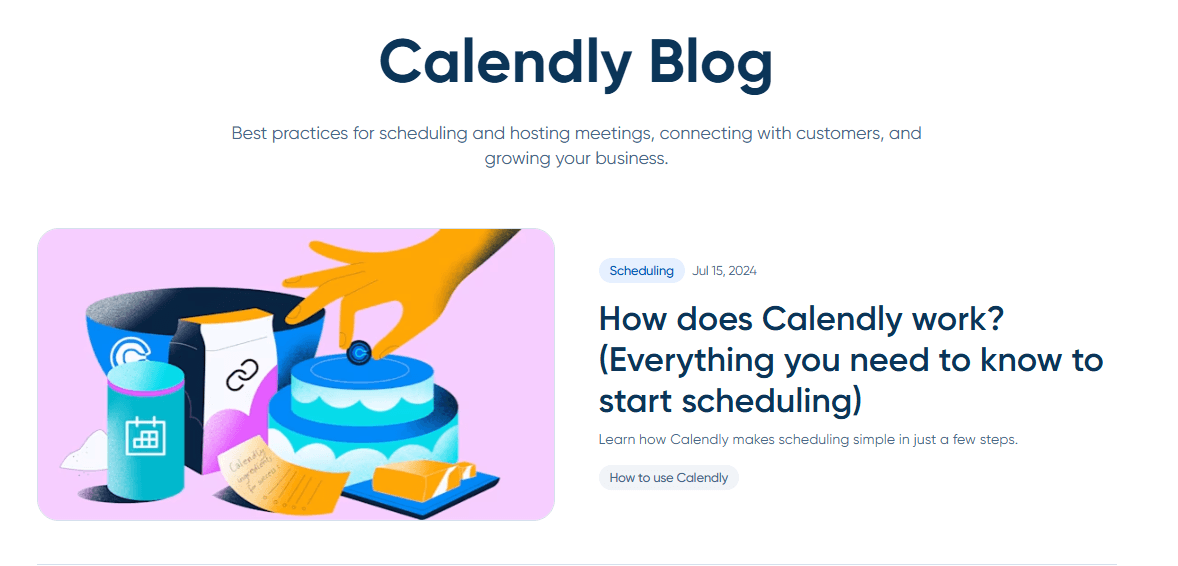
Organized into five categories (Scheduling, Meetings, Growth & Productivity, Company & Product, Relationship Management), the blog focuses mostly on product how-tos and use cases, covering everything from Zapier automations to Calendly's new MCP integration with AI tools like ChatGPT and Claude.
Readers can find best practices for scheduling and hosting meetings, connecting with customers, and growing a business. Calendly posts around 2 articles per month on average, which suggests this functions more as an SEO outlet than a creative one.
Each article shows the author, publication date, reading time, and a sticky table of contents for easier navigation. The information is broken up with different headings and supported by embedded videos, infographics, and charts, giving the pieces an educational feel.
That said, the promotional layer runs heavier than expected. A CTA to try Calendly for free shows up frequently, and the sticky CTA button stays visible throughout the entire read, then repeats again at the end of the article. For a roughly 1,200-word piece, that amount of repeated prompting starts to feel excessive.
Video Tutorials
This section redirects to the Learning Hub, where step-by-step video courses walk users through setup and core features. As of July 2026, they have 2 playlists: Getting started with Calendly (4 lessons with a total of 17 minutes) and Professional Customer Support with Calendly (5 lessons, with a total of 12 minutes).
Help Center
A structured support hub organized by topic (Account, Integrations, Scheduling, Notetaker, Admins, Contacts, Payments, Mobile app), offering quick-answer articles for common tasks like connecting a calendar or embedding Calendly on a website, plus 24/7 chat support.
Release Notes
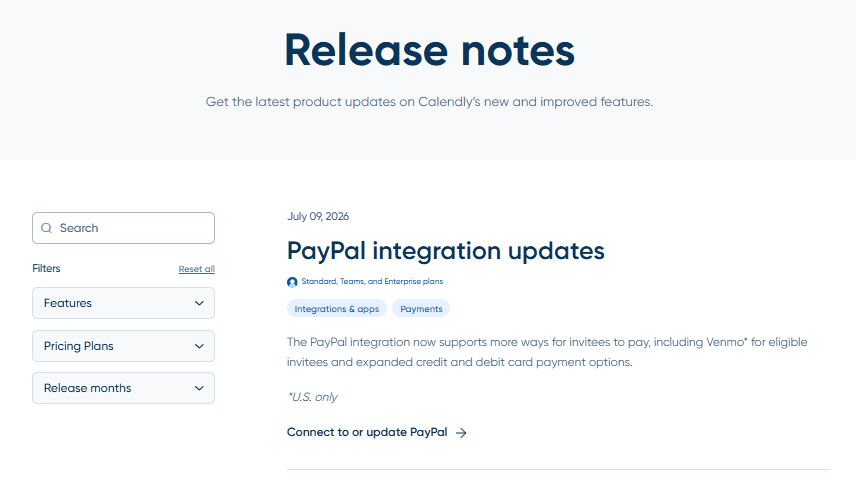
In this page, visitors get the latest product updates on Calendly's new and improved features, filterable by feature, pricing plan, and release month, which makes it easier to find exactly what's relevant. The format functions almost like a social media feed: a short blurb summarizes each update, with a button to read the full article, check out the feature in the app, or take another action. This positions the page as more of a retention tool than a discovery one.
Newsroom
Calendly's Newsroom houses press releases (the most recent from March 2025, announcing a LinkedIn partnership), external press coverage from outlets like Forbes and TechRadar, and a downloadable media kit with logos and leadership photos.
The page is organized into scrollable sections: Press Releases, In the News, Media Kit, Fact Sheet, and Leadership. The Media Kit section offers logo and brand guidelines alongside leadership headshots, while the Fact Sheet condenses mission, vision, values, and fast facts about Calendly into a single page, covering results, integrations, platform benefits, customer proof points, and awards.
Partners
To add Calendly to your platform or explore a partnership, you fill out a form asking for your name, email, company name, and two dropdown questions: how many users you have and how you'd like to partner with them. There's an optional field for extra details and they state directly that they don't run an affiliate, referral, or reseller partner program.
Strip away the individual assets and a pattern shows up fast: almost none of this content library is built to acquire a customer. It's built to keep one. Two articles a month on the blog isn't a strategy trying to win top-of-funnel search share, it's the minimum cadence to keep SEO from stalling while the real investment goes into the Learning Hub's role-based paths, the Community's live staff presence, and a Release Notes page dressed up like a social feed.
For a product this horizontal, with users ranging from solo coaches to enterprise sales teams, that tilt makes sense: the harder someone falls into a specific workflow, the more expensive it becomes for them to leave, and Calendly is clearly optimizing for that entrenchment rather than for new signups from content.
What's missing is the connective tissue between this retention machine and the acquisition side. Customer Stories and the guide library could double as top-of-funnel proof, but they sit three clicks deep on a Resources page that only surfaces three items at a time before making visitors click through pagination.
A prospect evaluating Calendly against a competitor is unlikely to stumble into the exact case study matching their industry unless they already know to filter for it. That's a distribution problem, and it's the kind of gap a leaner competitor with better internal linking could exploit without needing to out-produce Calendly at all.
The Newsroom adds a final data point worth flagging: the most recent press release dates to March 2025, meaning external comms have gone quiet for well over a year. Paired with the retention-heavy tilt everywhere else, the read is a company that has, at least for now, stopped chasing headlines and is playing defense on the install base it already has.
Marketing and Sales Funnel Stages
TOFU (Top of Funnel)
Awareness runs through a mix of channels doing different jobs. Instagram and LinkedIn catch attention with person-led content like HowIWorkLive and timely announcements such as the Claude and ChatGPT integrations. YouTube's long-form videos work as a search-driven entry point for people already typing "what is Calendly" or "Calendly for Chrome" into the search bar.
The blog adds a slower, steadier stream, posting around twice a month, functioning more as an SEO holding pattern than a growth engine. LinkedIn ads round this stage out, though a meaningful share of that spend goes toward recruiting rather than demand generation.
MOFU (Middle of Funnel)
The e-book and guide library, close to sixty webinars, and the Customer Stories directory all sit at this stage, giving a prospect who's already aware of Calendly the proof and education needed to move forward. Webinars double as lead capture, collecting name, email, company, and job title at registration, which explains why LinkedIn's paid activity leans toward webinar promotion over website clicks. The gap at this stage is distribution. Case studies and guides that could move a prospect forward sit three clicks deep on a Resources page that only shows three items at a time.
BOFU (Bottom of Funnel)
Conversion relies on sticky CTA buttons that follow the reader through blog posts and product pages, pushing toward "Sign up for free" or "Get a demo." The pricing page itself does some of this work too, being one of the few in the category to list an actual Enterprise starting price instead of hiding behind a "Talk to sales" button, which lowers the friction of figuring out affordability before ever contacting sales. The free 14-day trial that automatically downgrades to the Free tier, rather than cutting access entirely, also keeps the door open for someone not ready to commit yet.
Retention
This is Calendly's best-built stage by a clear margin. The Learning Hub's role-based paths, the Community's active, staff-moderated forum, and a Release Notes page dressed up like a social feed all work toward the same goal: keeping an existing user inside the product rather than winning a new one. Contacts and Notetaker add product-level stickiness on top, turning Calendly into something closer to a lightweight CRM the longer someone uses it, which raises the cost of switching to a competitor over time.
Steal This: Map your own funnel by stage, not by channel. It's the fastest way to see where you're overbuilt and where prospects are quietly getting lost.
Future Plans and Growth Indicators
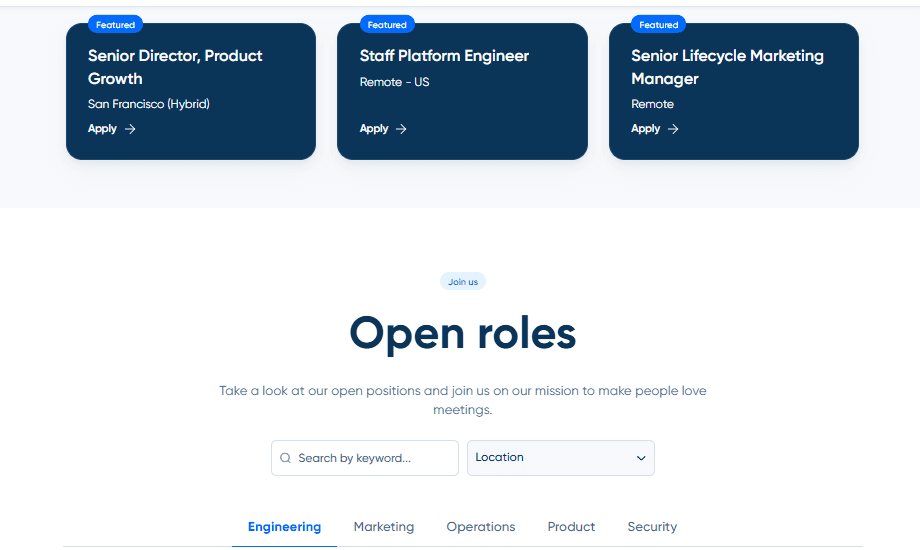
On their Career page, they have 8 positions open in Engineering, 3 in Marketing, 1 in Operations, 4 in Product and 1 in Security. The 3 featured positions are Senior Director in Product Growth, Staff Platform Engineer and Senior Lifecycle Marketing Manager. These are probably sorted by urgency, meaning there is a clear growth plan followed and a direction they want to go next.
The hiring split shows that Calendly is investing in building and refining the product, not in scaling outbound acquisition. A company chasing aggressive new customer growth typically staffs up Sales and Marketing first. Calendly's hiring pattern points the other way, toward strengthening what current users already touch.
The product side backs this up with real announcements. The ChatGPT and Claude integrations, already covered in the Social Media Strategy section, are an expansion into the AI assistant ecosystem, positioning Calendly as infrastructure that other AI tools plug into rather than a standalone destination.
Geographic expansion shows up more quietly. The site runs in French, Spanish, German, and Portuguese, which signals ongoing investment in non-English markets, even without a splashy announcement attached to it. Combined with the AI integrations, the growth picture looks less like chasing new markets through marketing spend and more like expanding the surface area of the product itself, one integration, one language, one workflow at a time.
Inspiration Points
1. Show your price, even at the top tier.
Most competitors hide the Enterprise number behind a "Talk to Sales" button, but Calendly puts it right there. A buyer who can self-qualify on price before ever picking up the phone moves faster through the funnel, because the biggest reason to stall, not knowing if you can afford it, gets removed before it becomes a reason at all. If your brand sells to a range of company sizes, showing even a rough starting number for your top tier does the same work for you.
2. Build a path for new users.
Calendly organized its onboarding into role-based paths for sales, recruiting, education, IT, and financial services, instead of leaving people to dig through scattered help articles. Less effort spent hunting for an answer means more energy left to actually use the product. A new user who gets handed a path built for their exact job sticks around longer than one left to piece it together on their own.
3. Let your team answer publicly, especially if you have a community or forum that supports that.
Calendly built a live, employee-moderated community where staff show up and solve real problems out loud. A Forrester survey of B2B CMOs from Q3 2025 found that customer experience has become the top strategic focus heading into 2026, precisely because it shows up directly in retention and revenue numbers. Every resolved thread sitting there in public works as proof for the next person deciding whether to trust you, which a support ticket will never do.
4. Turn your product into your own distribution channel.
Every time a free Calendly user sends someone a scheduling link, that recipient sees the product working and often signs up too. Calendly never had to buy the reach most SaaS companies pay for. If your product creates a moment where someone outside your customer base experiences it firsthand, that is free marketing. Find it and build around it instead of paying to manufacture the same exposure.
5. Put a real person in front of the camera.
On both Instagram and LinkedIn, Calendly's HowIWorkLive series with a named host beat straight product content, even against genuinely newsworthy announcements like the ChatGPT and Claude integrations.
A January 2026 report on B2B Instagram performance found that content built around a real person consistently outperforms feature-first posts in this category, and a separate December 2025 benchmark of over 100 B2B companies found that executive and creator-led content earns a kind of trust branded content can't match on its own.
At Milk and Cookies Studio, we help B2B companies in deep tech and complex tech turn their marketing and sales motion into something as deliberate as Calendly's product strategy. If you're building a go-to-market plan, running account-based marketing, or just need a second pair of eyes on where your funnel is leaking, get in touch and let's talk about what your version of this teardown would look like.
Frequently Asked Questions
How did Calendly get started and who founded it?
Calendly was founded in 2013 in Atlanta by Tope Awotona, a former IBM and Perceptive Software salesperson who built the first version with the Kyiv-based shop Railsware. He self-funded the early stages with savings and a small business loan before ever taking outside capital.
What does Calendly's homepage tell you about how they sell?
The homepage leans on scale and trust rather than a hard sales pitch, framing itself around "20 million professionals" and a wall of recognizable client logos like Zendesk and Dropbox. Every element is built to convert a self-serve user without a salesperson ever entering the conversation.
How much does Calendly cost, and does it show Enterprise pricing?
Calendly runs four tiers: Free, Standard from $10/seat/month, Teams from $16/seat/month, and Enterprise starting at $15k/year. Unlike most competitors, it actually lists a starting Enterprise number instead of hiding it behind a "Talk to Sales" button.
What makes Calendly's Learning Hub and Community different from a typical help center?
The Learning Hub organizes content into role-based paths by industry instead of a searchable archive, while the Community is a live, employee-moderated forum where staff answer real questions in public. Both are built for retention, keeping existing users inside the product rather than winning new signups.
Are Calendly's CEO and executives active on LinkedIn?
No, both CEO Tope Awotona and GTM President Shane Murphy-Reuter post sporadically, mostly reposting content rather than sharing original perspective. Their most recent posts date back 9 and 2 months, respectively, leaving a trust signal largely unused.
Which social media platform performs best for Calendly?
LinkedIn holds the largest audience at 130,000 followers, but engagement across every platform except TikTok stays disproportionately low relative to follower count. Posting consistency, not audience size, is the main gap across the board.
What type of content performs best for Calendly on social media?
Content built around a real person, specifically the HowIWorkLive series, consistently outperforms straight product announcements on both Instagram and LinkedIn, even against genuinely newsworthy news like the ChatGPT and Claude integrations.
Does Calendly run paid ads on Google or Meta?
No, Calendly's only active paid advertising was found on LinkedIn, with no Meta, TikTok, or Google ads identified during this research. Given how dependent Calendly is on self-serve signups, not bidding on its own brand name on Google leaves that search real estate open to competitors.
Where do Calendly's social media links actually send people?
The destination varies by platform: X and YouTube point to educational content, LinkedIn pushes webinar registrations, and Facebook and Instagram both route to a homepage or Customer Stories page rather than a direct signup path.
Is Calendly's product actually well-reviewed?
Yes, on platforms tied to the product experience itself, Calendly holds strong scores: 4.7 on G2, 4.7 on Capterra, and 4.8-4.9 on the App Store. Scores drop sharply wherever a human support layer enters the picture, 3.2 on Trustpilot and 3 on Glassdoor.
What is Calendly investing in for future growth?
Job postings lean heavily toward Engineering and Product over Sales and Marketing, and the company has expanded into the AI ecosystem through integrations with ChatGPT and Claude. That pattern points to growth through product expansion rather than aggressive customer acquisition spend.